
Request A Quote

Phone: 416-244-6476
Email:

    7 Tips for Choosing Industrial RFID Tablets?

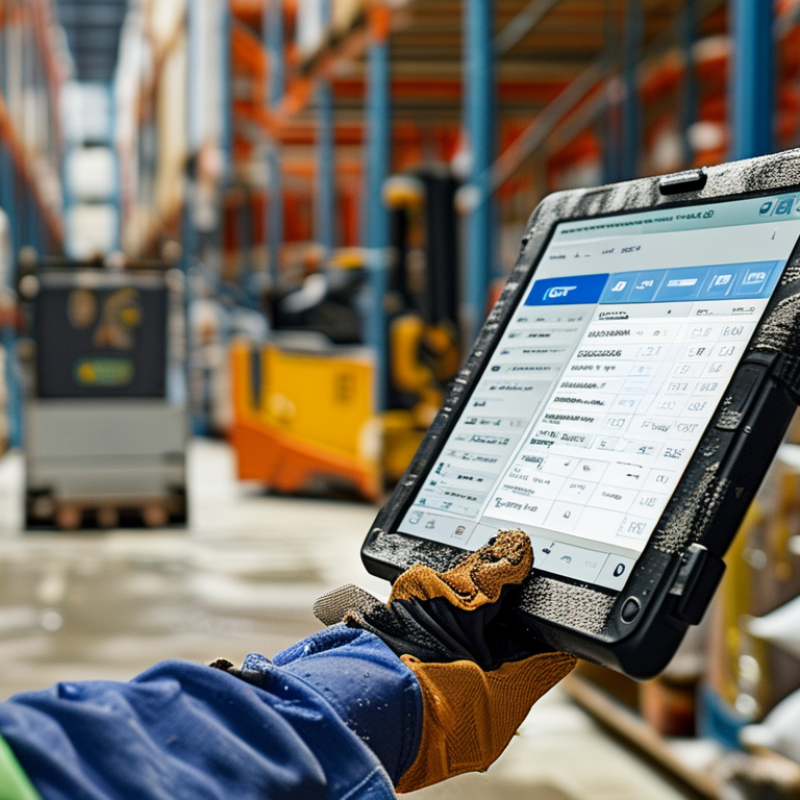
    Choosing the right INDUSTRIAL RFID TABLETS can reshape how teams track inventory, inspect assets, and verify shipments. In busy warehouses, a tablet may face dust, vibration, temperature changes, wet gloves, and constant scanning. A device that performs well in a showroom may struggle beside a loading dock. Real working conditions reveal more than a product brochure.

    This guide presents seven practical tips for evaluating industrial RFID tablets with greater confidence. It considers RFID reading distance, tag compatibility, processing speed, battery endurance, screen visibility, ergonomics, and software integration. These factors should match your actual workflow, not an idealized specification sheet. Check how quickly operators can scan a pallet, confirm a record, and recover from a failed read. Small delays become expensive during a full shift.

    Experience also shows that ruggedness alone is not enough. A thick casing may protect the tablet, yet create fatigue for workers carrying it repeatedly. Strong performance can still disappoint when the interface is difficult to use with gloves. That detail is easy to miss. Reliable selection requires field testing, documented certifications, supplier support, and honest feedback from daily users. Standards and test results provide useful evidence, but they cannot replace a controlled pilot in your facility. Some recommendations may need adjustment after testing. That is not a weakness; it is part of making a sound decision. By examining these seven areas carefully, organizations can reduce replacement costs, improve data accuracy, and choose RFID equipment that supports dependable operations over time.
    7 Tips for Choosing Industrial RFID Tablets?

    Understanding Industrial RFID Tablet Requirements

    Choosing an industrial RFID tablet starts with the work, not the screen. Walk the actual route before selecting hardware. Measure scan distance, tag density, and daily scan volume. Ask whether workers scan single items or full pallets. A short-range reader may fail in crowded storage areas. Test metal, liquids, and dense packaging. Real sites are messy.

    Durability extends beyond a protection rating. Check drop resistance, sealed ports, glove responsiveness, sunlight readability, and operating temperature. Dust, rain, vibration, and cart impacts can quickly expose weak designs. Battery capacity should cover a full shift. Safe hot-swapping may prevent work interruptions. Weight also matters. After six hours, comfort becomes a productivity factor. Confirm wireless coverage, cellular options, Bluetooth support, and charging methods. Small details often decide adoption.

    RFID performance must match the workflow. Verify supported frequency, antenna design, read speed, and duplicate-read handling. Test actual tags and materials, not a brochure sample. Integration deserves equal attention. The tablet should capture tag data, timestamps, location, and operator identity reliably. Check offline storage, encryption, access control, update policies, and recovery procedures. In field trials, cold batteries drained faster, gloves missed small buttons, and metal shelves created dead zones. Those findings were inconvenient, but useful. A flawless checklist is impossible. Build a pilot around real shifts, real operators, and measurable error rates.

    Evaluating RFID Reading Performance and Compatibility

    Choosing an industrial RFID tablet requires more than checking its advertised reading distance. In warehouse testing, reading performance depends on tag type, antenna orientation, material, and surrounding metal. Test the tablet with the exact tags used in daily operations. Place tags on cartons, plastic bins, and metal containers. Record successful reads, missed reads, and duplicate scans.

    Measure realistic performance.

    A strong evaluation includes read speed, range, and stability. Walk through a normal picking route while scanning moving items. Check whether the tablet reads multiple tags without confusing nearby inventory. Compare results at different angles and distances. A claimed range of several meters may shrink sharply in crowded storage areas. That gap matters. Keep a simple test log, including temperature, battery level, and network status. These details often explain inconsistent results.

    Compatibility is equally important. Confirm support for the required RFID frequency, tag protocols, antenna configuration, and application interfaces. The tablet should connect smoothly with existing inventory software through documented APIs or standard data formats. Check barcode scanning, Wi-Fi, Bluetooth, charging docks, and mobile device management. Field experience shows that small integration delays can interrupt entire shifts. I once underestimated glove use during testing, and the touchscreen became difficult to operate. That mistake changed the evaluation criteria. Test with protective gloves, dust, vibration, and bright outdoor light before approving the device.

    Selecting Durable Hardware for Harsh Work Environments

    7 Tips for Choosing Industrial RFID Tablets

    Selecting Durable Hardware for Harsh Work Environments

    Harsh sites punish attractive specifications. Start with protection. Check the tablet’s dust and water resistance before trusting it near washdown areas. A strong IP rating helps, but it does not replace real workplace testing. Drop resistance matters too. Ask whether the device survives falls from carts, ladders, or loading platforms. Testing should reflect daily accidents, not perfect laboratory conditions.

    Temperature is easy to overlook. Cold storage and hot loading bays can drain batteries and slow displays. Choose a replaceable or high-capacity battery for long shifts. RFID performance also needs practical testing. Metal racks, liquid containers, stacked goods, and antenna angles can reduce reading distance. Test the tablet beside forklifts and crowded shelves. Glove-friendly controls are essential. A screen that works only with bare fingers creates delays. Bright displays reduce errors under warehouse lighting, but larger screens may increase weight.

    Do not ignore software and service. Offline data capture keeps work moving when wireless coverage disappears. Check security update support, charging options, and repair procedures before purchase. Sealed ports can protect hardware, yet they may complicate maintenance. I once favored a lighter tablet because it felt comfortable during a short trial. After several hours, workers wanted a larger battery and stronger grip. That choice was not entirely wrong, but the test was too brief. Durable design must match real shifts, real gloves, and real handling habits.

    7 Tips for Choosing Industrial RFID Tablets

    Practical hardware benchmarks for selecting durable RFID tablets in warehouses, factories, logistics yards, and other harsh work environments.

    Look for protection against dust and water, tested drop resistance, a wide operating-temperature range, all-day battery capacity, readable displays, reliable RFID performance, and glove-friendly controls. Exact requirements should be confirmed against the site conditions and applicable test standards.

    Checking Connectivity, Battery Life, and Data Security

    7 Tips for Choosing Industrial RFID Tablets

    Industrial RFID tablets must stay connected when workers move between loading bays, warehouses, and outdoor yards. Check Wi-Fi roaming performance, cellular fallback, and Bluetooth stability before purchasing. A connection that drops during a scan can create duplicate records or delayed updates. Test the tablet beside metal racks and concrete walls. Those places reveal weaknesses quickly. Also inspect available ports, antenna placement, and compatibility with existing RFID readers.

    Battery life deserves practical testing, not only a manufacturer’s estimate. Run repeated scans, screen use, wireless transfers, and location services during a full shift. A tablet lasting eight hours in a quiet office may fail earlier in a busy warehouse. Consider replaceable batteries, fast charging, and charging docks. Hot-swapping can reduce downtime. Still, it adds cost and maintenance. I have seen teams choose maximum capacity, then struggle with heavier devices.

    Data security should be checked at the hardware and software levels. Look for secure boot, encrypted storage, role-based access, and regular security updates. Multi-factor authentication can protect sensitive inventory records. Device management tools should support remote locking, patch control, and audit logs. Ask what happens when the tablet goes offline. Data should queue safely, avoid duplication, and synchronize after reconnection. Do not accept vague promises. Request test documentation and a support schedule. One overlooked issue remains: workers may share passwords when login steps feel slow. A secure design must also be practical.

    7 Tips for Choosing Industrial RFID Tablets? - Checking Connectivity, Battery Life, and Data Security

    Tip Evaluation Dimension Recommended Specification or Benchmark Why It Matters in Industrial Use How to Verify Before Purchase
    1 Check RFID Read Performance Confirm compatibility with the required RFID frequency, such as UHF RFID at 860–960 MHz, and define the required read range for the workflow. Metal surfaces, liquids, tag orientation, antenna design, and reader output can significantly affect read distance and accuracy. Test representative tags on actual cartons, pallets, metal assets, and liquid containers. Measure read accuracy, missed reads, and scan time.
    2 Evaluate Wireless Connectivity Look for dual-band Wi-Fi supporting 2.4 GHz and 5 GHz, modern Wi-Fi security, Bluetooth for peripherals, and cellular connectivity when field mobility is required. Warehouses and outdoor sites may contain dead zones, interference, roaming requirements, or limited local network access. Perform roaming, latency, and reconnect tests throughout the facility. Verify support for the site’s access-point configuration, SIM requirements, and Bluetooth devices.
    3 Compare Battery Capacity and Runtime Prioritize a removable or hot-swappable battery for long shifts. Estimate runtime from watt-hours, display brightness, RFID scan frequency, cellular use, and application load. RFID transmission, bright displays, cold environments, and continuous wireless communication can increase power consumption. Run a full-shift pilot using the intended RFID workload. Check charging time, spare-battery availability, battery replacement time, and performance at low charge.
    4 Verify Durability and Environmental Protection Select an enclosure rated for the operating environment, with an appropriate IP rating. IP65 provides dust protection and water-jet resistance; IP67 additionally covers temporary immersion under defined test conditions. Drops, dust, rain, cleaning procedures, vibration, and temperature changes are common causes of industrial device failure. Review test reports, drop height, operating-temperature limits, vibration testing, port protection, and warranty exclusions. Test with gloves and protective cases if applicable.
    5 Assess Data Security Controls Require secure boot, device encryption, screen-lock enforcement, application permissions, timely security updates, and encrypted communication using current TLS configurations. RFID records may include inventory, shipment, production, or customer-related information that must be protected from unauthorized access. Request the security-update policy, supported management controls, encryption details, authentication options, remote-lock capability, and device-wipe procedures.
    6 Check Offline Operation and Data Synchronization Choose software that can cache scans locally, prevent duplicate transactions, record timestamps, and synchronize automatically after reconnection. A temporary network outage should not stop receiving, picking, counting, or asset-tracking operations. Disable network access during a pilot. Confirm local data retention, conflict handling, retry behavior, duplicate prevention, and audit-log completeness.
    7 Review Ergonomics, Support, and Total Cost Assess weight, grip, trigger placement, glove usability, screen readability, charging accessories, repair options, software support, and expected service life. A technically capable tablet can still reduce productivity if operators experience fatigue, poor visibility, or difficult scanning procedures. Conduct operator trials across a complete shift. Calculate total cost of ownership, including batteries, cradles, repairs, software, training, and replacement units.

    Note: Actual RFID range, battery runtime, and durability depend on the tag, antenna, application workload, environment, configuration, and testing conditions. Confirm all specifications through a site-specific pilot.

    Comparing Software Support, Maintenance, and Total Cost

    Choosing an industrial RFID tablet is not only a hardware decision. Software support often determines whether scanning remains reliable after deployment.

    Ask how long security patches, firmware updates, and application fixes will be available. Require a clear service-level agreement. It should define response times, replacement procedures, and escalation contacts.

    Short answer: vague support is expensive.

    Maintenance costs appear in small interruptions. A frozen reader, weak battery, or damaged charging port can stop a picking lane. Track repair time, spare-unit availability, battery cycle life, and remote diagnostics.

    The U.S. Department of Energy’s Operations and Maintenance Best Practices Guide reports that preventive maintenance can reduce costs by 12–18% compared with reactive work. That figure is not a promise for every warehouse. Dust, cold rooms, and 24-hour use change the result. Test devices with gloves, poor lighting, and weak Wi-Fi.

    Total cost of ownership should include licenses, integration, training, device management, accessories, repairs, and downtime. A lower purchase price may hide recurring software fees or manual updates.

    NIST’s Cybersecurity Framework 2.0 emphasizes continuous monitoring and timely response, which makes update support a lifecycle issue. I would not trust a spreadsheet that excludes downtime.

    Even careful estimates can be wrong. Measure one complete workflow before ordering hundreds of units. Ask whether technicians can replace batteries and diagnose faults without shipping every tablet away. That practical detail may matter more than a brighter screen.