
How to Choose the Best IP Video Intercom System?
Choosing the right Ip Video Intercom system is no longer a simple hardware decision. It affects visitor access, staff safety, privacy, and daily building operations. A receptionist may need a clear face image, while a warehouse manager may value remote unlocking more. These needs are different.
Industry research shows why careful evaluation matters. MarketsandMarkets’ Video Intercom Devices Market report identifies IP-based systems as a major growth area, supported by cloud management, mobile access, and integration with security platforms. Grand View Research also reports continued expansion in the global video intercom market, driven by smart buildings and connected access control. However, market growth does not guarantee a suitable product.
Fredrik Nilsson, Vice President of the Americas at Axis Communications, has often stressed that video should support business decisions, not only security functions. In practical terms, this means evaluating image quality, audio clarity, network reliability, cybersecurity controls, and integration options together. A sharp camera is not enough. Poor lighting can still hide a visitor’s face. A powerful application cannot fix an unstable network.
This guide examines the factors that deserve closer attention. These include device placement, user capacity, mobile connectivity, recording policies, maintenance, and total ownership costs. Compatibility is easy to overlook. So is staff training.
A useful system should feel simple during a busy Monday morning. It should also remain dependable during power interruptions, renovation work, and changing privacy requirements. No buying guide can remove every uncertainty. That is the uncomfortable part. The best choice depends on the building, users, risks, and long-term operating discipline.
Understanding IP Video Intercom Systems and Their Core Components
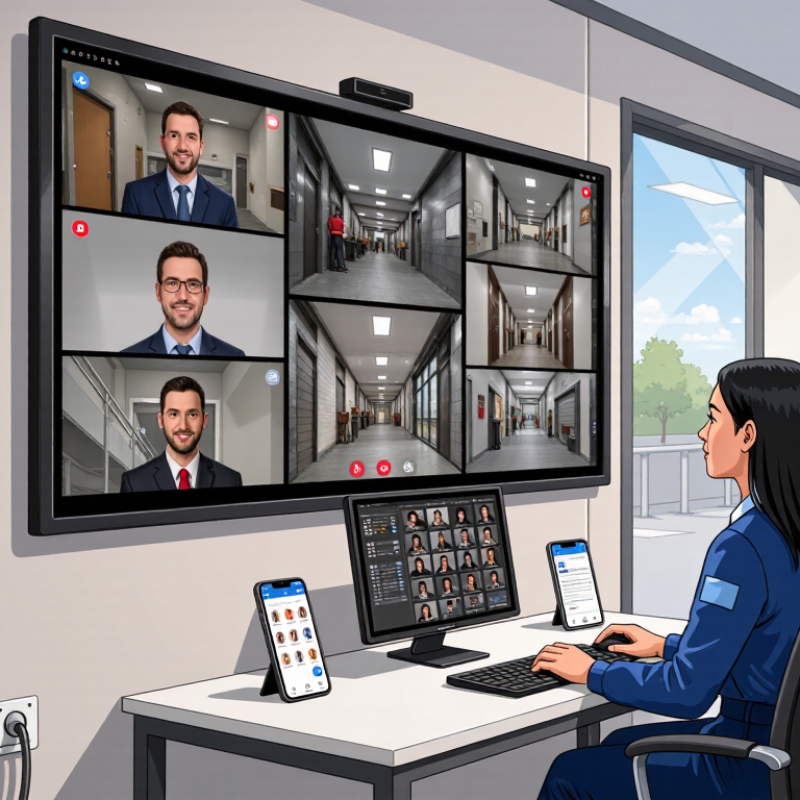
An IP video intercom system turns an entrance call into network data. Its core begins with an outdoor station: camera, microphone, speaker, call button, and door relay. The camera should show faces clearly at noon and under porch shadows. A wide view is useful, but excessive distortion can hide facial details. Look for infrared support, weather resistance, echo cancellation, and adjustable audio volume. Small details matter.
Inside, an indoor monitor or secure mobile client receives the call. It should display live video quickly and support two-way conversation. The network path includes Ethernet cabling, a PoE switch, router, and stable internet connection. PoE can reduce separate power wiring, although backup power is still worth planning. A controller or relay operates the lock, while access logs record events and user permissions. Keep that relay protected indoors when possible.
In field installations, I test calls during busy network periods, not only after setup. I check delay, speech clarity, night images, and whether the door releases consistently. A system may look impressive in a brochure yet struggle beside a noisy street. Choose encrypted communication, strong account controls, regular firmware support, and clear maintenance procedures. Do not ignore compatibility with existing wiring or emergency power. I have learned that smart features can complicate training and troubleshooting. Test those features with the people who will maintain them.
Assessing Property Needs, Users, and Installation Conditions
Choosing the best IP video intercom system starts with the property, not the product brochure. During a site survey, measure entrances, gate distances, wall materials, and available network points. A townhouse may need one outdoor station and several indoor monitors. An apartment building needs controlled access for residents, visitors, and service staff.
User habits matter just as much. Older residents may prefer large buttons and clear audio. Busy families may need mobile notifications when nobody is home. Property managers often need event records and simple remote administration. Ask who will answer calls, who can add users, and what happens if the internet fails. These questions expose practical gaps early.
Installation conditions can change the recommendation. Thick concrete walls may weaken wireless signals, while long cable runs can increase labor and troubleshooting time. Check power availability, weather exposure, lighting, and drainage near every entrance. A camera facing strong afternoon sunlight may produce poor images, despite impressive specifications. I once underestimated the effect of reflective glass during a survey. That mistake was avoidable.
Use a network design that separates intercom traffic from ordinary office devices when possible. Confirm bandwidth, backup power, and door hardware compatibility with a qualified installer. Document cable routes and maintenance access before drilling. A clean installation is valuable, but easy future servicing matters more.
| Assessment Dimension | Property Condition or User Requirement | Recommended IP Video Intercom Configuration | Important Technical Considerations | Priority |
|---|---|---|---|---|
| Property Type | Single-family home or small office with one main entrance | One outdoor video station, one indoor monitor or mobile application, and an IP-controlled door lock | Confirm that the entrance has suitable power, network coverage, and a weather-protected mounting position. | High |
| Property Type | Apartment building, student residence, or multi-tenant property | Multi-tenant entrance panel with directory management, individual resident calling, indoor stations, or mobile credentials | Check the number of units, directory capacity, tenant administration, visitor call routing, and access permissions. | High |
| Number of Entrances | One to two controlled entrances | Centralized management for the main entrance, pedestrian gate, or service entrance | Verify relay outputs, door-sensor inputs, request-to-exit connections, and whether each entrance needs independent schedules. | High |
| Number of Users | Up to approximately 10 regular users | Basic user directory with PIN, card, mobile credential, or temporary visitor access | Choose a system that supports user removal, credential replacement, event logs, and different administrator permissions. | Medium |
| Number of Users | More than approximately 50 residents, employees, or authorized users | Centralized user database with bulk enrollment, role-based access, audit records, and scheduled permissions | Confirm database capacity, management software support, directory search speed, and integration with existing access-control procedures. | High |
| Visitor Management | Frequent deliveries, contractors, guests, or temporary visitors | Two-way video, remote unlock, time-limited credentials, visitor call forwarding, and event recording | Define visitor approval rules, notification recipients, privacy requirements, and how temporary credentials expire. | High |
| Video and Audio | Need to identify visitors in daylight and low-light conditions | Wide-angle camera, infrared or white-light assistance, echo-reduced two-way audio, and adequate image resolution | Camera performance depends on lighting, viewing angle, backlight, mounting height, and the distance between the visitor and camera. | High |
| Network Availability | Reliable Ethernet network is available near the entrance | Wired IP connection, preferably with Power over Ethernet where compatible | Use appropriate structured cabling, check switch power capacity, label cable runs, and separate critical devices from congested networks. | High |
| Network Availability | No cable is available at the entrance, but stable wireless coverage exists | Wireless video station or wireless indoor monitor, with local power and a backup communication plan | Test signal strength at the exact mounting point; metal doors, concrete walls, and electrical equipment can reduce wireless reliability. | High |
| Power Conditions | Power outages or unstable electrical supply are possible | Equipment connected to protected power, with backup power for network equipment and critical access hardware | Determine the required runtime, startup behavior after power restoration, fail-safe or fail-secure locking behavior, and emergency egress requirements. | High |
| Cable Distance | Standard copper Ethernet run within the normal channel limit | Direct Ethernet or PoE connection using properly installed twisted-pair cabling | For permanent copper Ethernet links, the commonly used channel limit is up to 100 metres, including patch connections. Longer routes may require fiber or an intermediate network device. | High |
| Outdoor Environment | Entrance is exposed to rain, dust, sunlight, or temperature changes | Outdoor-rated station with sealed housing, drainage consideration, and suitable operating-temperature specifications | Check the enclosure rating, sun exposure, condensation risk, vandal resistance, mounting surface, and protection from direct water flow. | High |
| Building Structure | Concrete walls, metal frames, long corridors, or multiple floors | Wired backbone, carefully planned network distribution, and possible fiber uplinks between building sections | Perform a cable-route survey before installation. Thick walls and metal structures can affect wireless signals and increase installation complexity. | High |
| Integration Needs | Existing CCTV, access control, alarm, elevator, or building-management systems are present | System with documented network interfaces, relay inputs and outputs, event notifications, and supported integration methods | Confirm compatibility before purchase, including API availability, SIP support where required, event formats, and responsibility for integration configuration. | Medium |
| Security Requirements | Property requires stronger protection against unauthorized access | Encrypted communication, administrator roles, strong credentials, multi-factor options where available, and detailed access logs | Change default passwords, restrict management access, apply security updates, segment the system network, and review logs regularly. | High |
| Privacy Requirements | Video, audio, visitor records, or access events are stored | Configurable recording, retention controls, user permissions, privacy notices, and restricted playback access | Define the purpose and retention period for recordings and follow applicable privacy, employment, and surveillance regulations. | High |
| Accessibility | Children, older adults, wheelchair users, or hearing-impaired users may operate the system | Clearly visible call buttons, readable labels, suitable mounting height, adjustable audio, and visual status indicators | Consider reach range, glare, background noise, tactile feedback, door opening time, and local accessibility requirements. | Medium |
| Maintenance and Support | Property has limited technical staff or requires high availability | Remote diagnostics, health monitoring, replaceable components, configuration backup, and documented maintenance procedures | Evaluate firmware-update procedures, warranty terms, spare-part availability, service response, and recovery after device replacement. | Medium |
| Future Expansion | Additional entrances, users, cameras, or buildings may be added later | Scalable management platform with sufficient device, user, and license capacity | Confirm expansion costs, network bandwidth, storage requirements, software limits, and whether mixed-generation devices can operate together. | Medium |
Comparing Essential Features, Video Quality, and Access Control Options
Choosing an IP video intercom system starts with daily access needs, not attractive specifications. A small apartment entrance needs different tools than a busy office lobby. Look for two-way audio, motion detection, tamper alerts, and reliable network connectivity.
Power-over-Ethernet can simplify installation and reduce cable clutter. Confirm that the system supports secure firmware updates and clear user permissions.
Video quality deserves practical testing. A high resolution rating means little if faces appear dark at noon or blurred during movement. Check the image under backlighting, rain, and weak evening light. Test it at night.
Wide-angle coverage can reduce blind spots, but excessive distortion may hide facial details near the edges. Low-latency video also helps reception staff respond naturally instead of speaking over visitors.
I have seen installations focus on sharp images while ignoring microphone placement. That decision created more complaints than the camera did.
Access control options should match the building’s risk and workflow. PIN codes are convenient, but shared codes weaken accountability. Mobile credentials offer flexibility, while cards or key fobs may work better for staff who need quick entry.
Temporary visitor passes should have clear expiration times. Remote unlocking requires strong authentication, activity logs, and carefully limited administrator access.
Test emergency procedures, too. A system can be technically advanced yet frustrating during a power or network interruption.
Do not accept the first demonstration as proof of reliability; inspect the mounting height, network stability, and real response time on site.
Evaluating Network Security, Compatibility, Scalability, and Reliability
How to Choose the Best IP Video Intercom System?
Network security should be tested, not accepted from a brochure. Look for encrypted communication, signed firmware, unique user credentials, and multi-factor authentication. The system should support separate user roles and detailed access logs. Keep intercom devices on a protected network segment.
Security A locked cabinet helps too. Check how long logs remain available and where recordings are stored. Cloud access can be useful, but unclear data locations deserve careful questions.
Compatibility affects every installation stage. Confirm support for common video, audio, and network protocols before purchasing hardware. Test connections with the existing door controller, management software, mobile devices, and emergency power system. A short laboratory test may expose delayed audio, poor image scaling, or failed call transfers. Do not assume a product will work because its connector fits. That mistake is expensive.
Scalability means more than adding screens. Review bandwidth demands, maximum users, concurrent calls, license changes, and administrator limits. A growing site may need central management, an application interface, and flexible storage.
Reliability requires practical evidence. Ask for operating temperature ranges, ingress protection, reboot behavior, and documented uptime data. Test the system during network loss and power recovery. Offline operation matters.
One weakness remains: perfect reliability is rarely proven before installation. A small pilot, with logs reviewed after several weeks, gives a more honest answer than impressive specifications.
Selecting a Suitable System Based on Cost, Support, and Long-Term Value
Choosing the best IP video intercom system requires more than comparing purchase prices.
Grand View Research reports that the global smart doorbell market is expanding steadily, reflecting stronger demand for connected entry control. However, a low-cost device may need extra licenses, cabling, storage, and replacement parts. Calculate the five-year total cost of ownership. Look beyond the quote.
Support matters.
Select a supplier offering documented firmware updates, clear response times, and trained local technicians. The IBM Cost of a Data Breach Report 2024 placed the average breach cost at 4.88 million dollars, so weak access security can become extremely expensive.
Ask whether the system supports encrypted communication, role-based permissions, audit logs, and secure remote maintenance. These details are easy to overlook.
Long-term value also depends on compatibility.
Check integration with existing access controllers, cameras, mobile applications, and building management platforms. A system that works today may become restrictive after one software change.
Field teams often find that installation quality affects reliability as much as hardware quality. Test speech clarity near traffic, night images, door-release response, and network recovery.
I would not trust a polished demonstration alone. Require a small pilot, written service terms, and realistic replacement timelines before approving a wider deployment.
